
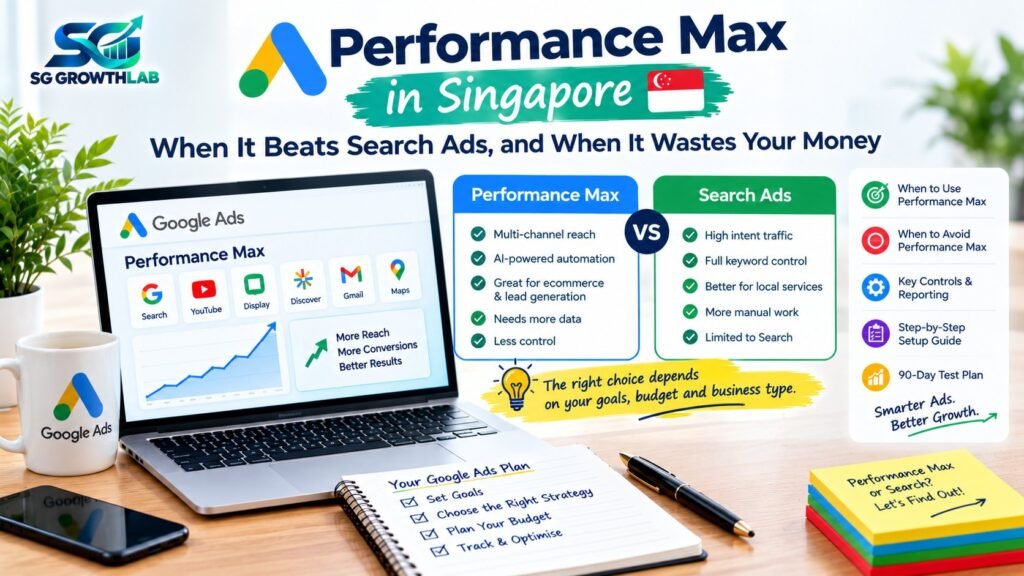
If you manage Google Ads, you have probably seen the prompts: switch to Performance Max, let Google do the work, get more conversions. Some advertisers swear by it, and others have watched it burn budget on junk leads and branded searches they would have won anyway. Both stories are real.
This guide explains Performance Max in plain language, who it suits, who should avoid it for now, which controls you have and a step-by-step way to test it without risking your whole budget. Google updates this campaign type regularly, so use this guide as a framework and check Google’s current documentation for the latest features.
On this page:
- The Short Answer
- What Is Performance Max?
- How It Differs From a Search Campaign
- What Controls Do You Have Now?
- When Performance Max Is Likely to Beat Search
- When Performance Max Wastes Money
- The Biggest Risks, and How to Reduce Them
- A Step-by-Step Setup Checklist
- A Safe Way to Test It
- Performance Max for Ecommerce vs Lead Generation
- What to Review Each Week
- Budget, GST and Fees
- Common Mistakes With Performance Max
- Asking an Agency About Performance Max
- How SG Growth Lab Approaches Performance Max
- Frequently Asked Questions
- Final Thoughts
The Short Answer
Performance Max can work well for ecommerce stores with a good product feed and plenty of conversion data, and for established lead generation accounts that already have reliable tracking and a proven Search campaign. It is usually a poor first choice for new accounts, very small budgets, low conversion volumes or services where you need tight control over which searches trigger your ads. For most small businesses, a well-run Search campaign comes first, and Performance Max is a later experiment.
What Is Performance Max?
Performance Max is a campaign type that runs across many Google channels from a single campaign, including Search, YouTube, Display, Discover, Gmail and Maps. Instead of choosing keywords and placements one by one, you give Google:
- A goal, such as sales or leads, and conversion tracking to measure it.
- Assets, such as headlines, descriptions, images, logos and videos.
- Signals, such as audiences or search themes that hint at who to target.
- A budget.
Google’s automation then decides where and when to show your ads, mixing the assets for different placements. For ecommerce, it can also use your product feed to show products across Shopping and other placements.
How It Differs From a Search Campaign
- Control over searches: Search campaigns let you pick keywords and match types. Performance Max uses signals and automation, with some controls on top.
- Where ads appear: Search campaigns show on Google Search results. Performance Max can appear across several channels.
- Creative effort: Search needs mainly text. Performance Max needs a wider set of assets, including images and often video.
- Data needs: Performance Max generally needs more conversion data to optimise well.
- Transparency: Search gives detailed keyword and search term data. Performance Max has become more transparent over time, but still gives less control than Search.
What Controls Do You Have Now?
Performance Max used to be called a black box, but Google has added more controls and reporting. As of late 2026, controls and reporting that advertisers commonly use include:
- Negative keywords at the campaign level, to block irrelevant searches.
- Brand exclusions, to stop the campaign from showing on branded searches when you do not want it to.
- Search themes and audience signals, to guide the automation.
- Final URL controls, to limit or expand which pages Google can send traffic to.
- Channel and search term reporting, to see where results come from.
- Asset reports, to see which creative is working.
- Location, schedule and some device and demographic controls, depending on the setup.
Features change often, so always check what is currently available in your account.
When Performance Max Is Likely to Beat Search
Ecommerce with a clean product feed
If you sell products online, have a well-maintained product feed, good images and solid conversion data, Performance Max can show your products in places a basic Search campaign would not reach. It is often used alongside Shopping and Search. See our guides on Google Shopping Ads and ecommerce website design.
Mature lead generation accounts
If you already have a profitable Search campaign, reliable conversion tracking and enough monthly conversions, Performance Max can help you find extra demand. The best sequence for lead generation is usually to build Search first, then test Performance Max as an addition.
When you have good creative and signals
Performance Max works better with strong images, short videos, clear headlines and useful audience signals, such as your customer list, website visitors or relevant search themes.
When your goal is broader reach and you can measure value
If you can pass back the value of conversions, for example sales amounts or lead quality, Google’s automation has something meaningful to optimise towards.
When you want to expand once Search has plateaued
If your Search campaign has captured most of the demand you can reach and you want growth, Performance Max may find additional customers on other channels.
When Performance Max Wastes Money
A new account with no conversion data
Automated campaigns learn from conversions. With little or no data, Performance Max may spend on poor traffic while it tries to learn.
A very small budget
A small budget spread across many channels may not produce enough data to learn from. Search campaigns with tight keywords are usually easier to control. See our budget planner.
Low conversion volume
If you get only a handful of conversions a month, automation has little to optimise on.
Weak or messy conversion tracking
If your tracking counts the wrong things, such as any page view or a click on a button, Performance Max will optimise towards the wrong goal. Garbage in, garbage out.
Services that need tight keyword control
Emergency services, specialist professionals and businesses that serve a narrow area usually need to control exactly which searches trigger their ads. Search campaigns are better for that.
Lead generation with low-quality form fills
Without lead quality signals, Performance Max may chase cheap form fills that are not real customers. If you cannot tell the system which leads are good, results can look better in reports than in your bank account.
When it cannibalises your brand searches
If Performance Max shows ads for your own business name, it can take credit for customers who would have found you anyway, making results look better than they are. Use brand exclusions and compare results carefully.
The Biggest Risks, and How to Reduce Them
- Junk leads. Use clear qualifying questions on forms, track calls and WhatsApp enquiries properly, and where possible pass back lead quality or sale value. Review the actual enquiries, not just the numbers.
- Brand cannibalisation. Use brand exclusions and negative keywords if you run a separate branded Search campaign.
- Wasted spend on irrelevant searches. Review the search term and channel reports regularly, and add negatives.
- Poor creative. Provide strong, real images, and remove generated or low-quality assets you do not want shown.
- Loss of learning. Avoid big changes too often. Let the campaign gather data.
- Misleading reports. Compare against total business enquiries and customers, not only what the campaign reports.
A Step-by-Step Setup Checklist
- Check your conversion tracking. Track the actions that matter, such as form submissions, calls and WhatsApp clicks, and, for ecommerce, purchases with values.
- Make sure you have enough data. If Search is not yet profitable, fix that first.
- Set the right goal and budget, and make sure the budget is large enough to learn from.
- Prepare strong assets: several headlines and descriptions, real images in different shapes, a logo and, if possible, short videos.
- Add useful signals: customer lists, website visitors and relevant search themes.
- Add brand exclusions if you have a separate branded campaign or do not want brand traffic.
- Add campaign-level negative keywords for irrelevant searches, competitors or terms that do not convert.
- Review Final URL settings. Limit pages where needed, so traffic goes to pages that convert.
- Set locations and schedule that match where and when you can serve customers.
- Plan your review: check search terms, channel reports and asset reports weekly at the start.
A Safe Way to Test It
- Run Search first until it is stable and profitable, with reliable tracking.
- Add Performance Max as a test, with a limited share of the budget you can afford to lose, not by replacing your working Search campaigns.
- Keep the test clean: change as little as possible while it learns. See our timeline in how long Google Ads take to work.
- Compare on real business results: cost per customer, lead quality and total enquiries across all campaigns, not only the Performance Max report.
- Decide after enough data: scale, adjust or stop.
If you are unsure whether your numbers can support this, work through our guide on break-even maths for Google Ads.
Performance Max for Ecommerce vs Lead Generation
Ecommerce: usually the better fit, because purchases give clear values, product feeds give the system structure and results are easy to measure. Focus on feed quality, margins and return on ad spend.
Lead generation: possible, but riskier. You need strong tracking, a way to judge lead quality and patience. Always compare reported leads with real customers. A simple lead form can attract many low-quality enquiries.
What to Review Each Week
- Spend and conversions compared with your break-even numbers.
- The search terms and categories showing in reports.
- The channel performance report, to see where spend is going.
- Which assets perform well, and which are weak.
- Whether brand traffic is inflating the results.
- The quality of the enquiries and whether they became customers.
Budget, GST and Fees
As with any Google Ads campaign, include GST and management costs in your calculations. Singapore’s GST rate is 9%, and Google Ads accounts with a Singapore business address are generally billed GST on advertising, so check your billing. See our guide on Google Ads cost in Singapore.
Common Mistakes With Performance Max
- Starting with it before Search is working.
- Using weak or poorly defined conversions.
- Giving it a very small budget.
- Ignoring brand traffic.
- Adding no negative keywords.
- Judging it only by the campaign’s own report.
- Switching off Search at the same time, so you cannot compare.
- Changing settings too often.
For a wider checklist, see Google Ads mistakes in Singapore.
Asking an Agency About Performance Max
If you work with a provider, ask when they use Search and when they use Performance Max, which controls they apply, how they measure lead quality and how they will prove the results. See our guide on how to choose a Google Ads agency in Singapore.
How SG Growth Lab Approaches Performance Max
We start with a free audit and an honest recommendation. For most small businesses, we build and prove Search first, and only test Performance Max when tracking, data and budget can support it. We set clear controls, report on enquiries and customers, keep the account in your name and send your ad budget directly to Google. There are no long-term contracts and no fake promises.
Learn more about our Google Ads service, or message us on WhatsApp for a free audit.
What is Performance Max in Google Ads?
It is a campaign type that uses Google’s automation to show your ads across several Google channels, such as Search, YouTube, Display, Discover, Gmail and Maps, based on your goal, assets, signals and budget.
Is Performance Max better than Search campaigns?
Not in every case. It can work well for ecommerce and mature lead generation accounts with good data, while Search campaigns give more control and are usually better for new accounts and small budgets.
Is Performance Max good for small businesses in Singapore?
It can be, once you have reliable tracking, enough conversions and a proven Search campaign. For many small businesses, Search should come first, with Performance Max as a later test.
Can I use Performance Max for lead generation?
Yes, but be careful. Without strong tracking and a way to judge lead quality, it can bring cheap but low-quality enquiries. Review the real enquiries and customers, not just the reported conversions.
How do I stop Performance Max from wasting money?
Use clear conversion goals, add brand exclusions and campaign-level negative keywords, provide strong assets, review search term and channel reports and compare results with your real business numbers.
Should I run Performance Max and Search together?
Often yes, once both are set up carefully. Use brand exclusions and negatives to reduce overlap, and compare total results across campaigns, not each campaign on its own.
How long should I test Performance Max?
Give it enough time and data, often several weeks, and avoid frequent big changes during the learning period. Judge it against your break-even numbers.
Final Thoughts
Performance Max Singapore advertisers are encouraged to use is powerful in the right setting and wasteful in the wrong one. Build reliable tracking and a profitable Search campaign first, add Performance Max as a controlled test, use the controls you have, review the real enquiries and customers and let your numbers decide.
Want honest advice on whether Performance Max fits your business? Get a free audit from SG Growth Lab and we will tell you what to run first.