
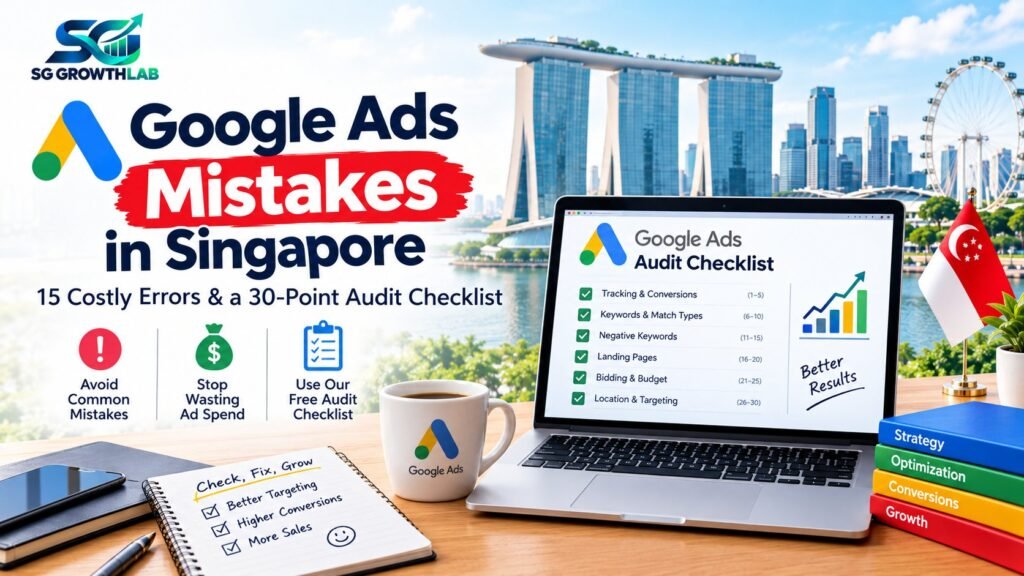
Most Google Ads accounts that lose money are not failing because Google Ads does not work. They are failing because of a small number of repeated mistakes: tracking that is missing, keywords that are too broad, pages that do not convert and settings left on default. The good news is that these problems are easy to spot once you know where to look, and fixing them often improves results without spending more.
This guide covers 15 common Google Ads mistakes that Singapore businesses make, explains why each one costs money and shows how to fix it. At the end you will find a 30-point audit checklist you can run on your own account today.
On this page:
- Mistake 1: No Conversion Tracking, or Broken Tracking
- Mistake 2: Judging Success by Clicks and Click-Through Rate
- Mistake 3: Keywords That Are Too Broad
- Mistake 4: No Negative Keywords, and Never Checking Search Terms
- Mistake 5: Sending Everyone to the Homepage
- Mistake 6: A Slow or Confusing Mobile Experience
- Mistake 7: Wrong Location Settings
- Mistake 8: Ads Running When Nobody Can Answer
- Mistake 9: Leaving Default Network Settings On
- Mistake 10: Too Many Campaigns for Too Small a Budget
- Mistake 11: Set and Forget
- Mistake 12: Changing Everything Too Often
- Mistake 13: Accepting Every Automated Recommendation
- Mistake 14: Ignoring Ad Copy and Offer
- Mistake 15: Not Planning for GST, Fees and Real Costs
- Bonus Mistake: Losing Control of Your Account
- The 30-Point Google Ads Audit Checklist
- What to Fix First
- How SG Growth Lab Can Help
- Final Thoughts
- Frequently Asked Questions
Mistake 1: No Conversion Tracking, or Broken Tracking
What it looks like: you can see clicks, but you cannot see how many calls, forms or WhatsApp messages the ads produced.
Why it costs money: without conversion data, you cannot tell which keywords work, and automated bidding cannot learn properly.
How to fix it: set up tracking for form submissions, phone calls and WhatsApp clicks, then test each one by doing it yourself. Check it again after any website change.
Mistake 2: Judging Success by Clicks and Click-Through Rate
What it looks like: celebrating a high click-through rate or low cost per click while enquiries stay flat.
Why it costs money: cheap clicks from the wrong people cost less per click but more per customer.
How to fix it: judge by cost per enquiry and cost per customer. See our guide on break-even maths for Google Ads.
Mistake 3: Keywords That Are Too Broad
What it looks like: a few general keywords that trigger ads for many unrelated searches.
Why it costs money: you pay for clicks from people who wanted something else.
How to fix it: start with specific, high-intent phrases that match your services and area. Expand only when the first group is working.
Mistake 4: No Negative Keywords, and Never Checking Search Terms
What it looks like: your ads show for searches such as “free”, “jobs”, “DIY” or services you do not offer, and nobody notices.
Why it costs money: wasted clicks add up quickly, especially in the first weeks.
How to fix it: review the search terms report every few days at the start, and add negative keywords for irrelevant searches. Keep a running list.
Mistake 5: Sending Everyone to the Homepage
What it looks like: every ad goes to your homepage, where visitors must search for the service they wanted.
Why it costs money: people leave when they cannot find what the ad promised.
How to fix it: send each service to a matching page with a clear headline, offer and contact button. See our landing page service.
Mistake 6: A Slow or Confusing Mobile Experience
What it looks like: pages that load slowly on a phone, tiny text and buttons that are hard to tap.
Why it costs money: most local searches happen on mobile, and slow pages lose visitors you have already paid for.
How to fix it: test your landing page on a phone, compress images and keep the page simple.
Mistake 7: Wrong Location Settings
What it looks like: ads showing to people outside your service area, or location settings that include people who merely show interest in an area rather than being in it.
Why it costs money: you pay for clicks from people who cannot become customers.
How to fix it: target the places you actually serve, and check the setting that decides whether people searching about a location, as well as people in it, can see your ads.
Mistake 8: Ads Running When Nobody Can Answer
What it looks like: ads running late at night or on days when your phone and WhatsApp go unanswered.
Why it costs money: leads that wait many hours are often lost to competitors who reply fast.
How to fix it: use ad scheduling to match your availability, or set up a clear after-hours response so enquiries are still handled.
Mistake 9: Leaving Default Network Settings On
What it looks like: Search campaigns that also show on partner sites or other networks you did not choose on purpose.
Why it costs money: traffic from other placements can behave very differently from direct Google Search clicks.
How to fix it: check the network settings of each campaign, and keep only what you can measure and justify.
Mistake 10: Too Many Campaigns for Too Small a Budget
What it looks like: five or ten campaigns, each with a tiny share of a small budget.
Why it costs money: each campaign has too little data to learn from, and some stop showing early in the day.
How to fix it: focus on one or two campaigns around your most profitable services. See our budget planner.
Mistake 11: Set and Forget
What it looks like: the campaign is launched and nobody looks at it for weeks.
Why it costs money: search terms drift, competitors change and waste builds up.
How to fix it: put a weekly check in your calendar for the first month, then a regular monthly review. See our timeline in how long Google Ads take to work.
Mistake 12: Changing Everything Too Often
What it looks like: new bids, new ads and new keywords every few days.
Why it costs money: frequent big changes can reset learning and make it impossible to see what worked.
How to fix it: change one important thing at a time, record it and wait long enough to judge the effect.
Mistake 13: Accepting Every Automated Recommendation
What it looks like: clicking “apply” on all suggestions in the account.
Why it costs money: some recommendations help, but some mainly raise your spend or change settings in ways that do not suit your goals.
How to fix it: read each suggestion, understand what it changes and apply only the ones that fit your plan.
Mistake 14: Ignoring Ad Copy and Offer
What it looks like: generic ads that could belong to any business, with no reason to choose you.
Why it costs money: weak ads get fewer clicks and attract the wrong people.
How to fix it: repeat what the customer searched, state a clear benefit, mention what makes you different and include a clear call to action. Test one new version at a time.
Mistake 15: Not Planning for GST, Fees and Real Costs
What it looks like: a budget that looks fine until GST, management fees and landing page costs are added.
Why it costs money: you may find that your cost per customer is higher than your profit per customer.
How to fix it: include all costs in your plan. Singapore’s GST rate is 9%, and Google Ads accounts with a Singapore business address are generally billed GST on advertising, so check your billing and ask your accountant how it applies. See our guide on Google Ads cost in Singapore.
Bonus Mistake: Losing Control of Your Account
If your Google Ads account is in an agency’s or freelancer’s name, you can lose your history and learning when you leave. Always own the account and give providers access as managers. See our guide on how to choose a Google Ads agency.
The 30-Point Google Ads Audit Checklist
Copy or print this list and tick each item with your own account. Items you cannot tick are your first jobs.
Account and ownership
1. [ ] The Google Ads account is in my business’s name.
2. [ ] I have admin access, and I know who else has access.
3. [ ] Billing is set up correctly, and I know how GST is charged.
4. [ ] My monthly budget is based on my goals and break-even numbers.
Tracking
5. [ ] Form submissions are tracked as conversions.
6. [ ] Phone calls from ads and from my website are tracked.
7. [ ] WhatsApp clicks are tracked.
8. [ ] I tested every conversion action myself.
9. [ ] Google Analytics is connected, and I can see traffic sources.
10. [ ] I record which enquiries became customers.
Campaign structure
11. [ ] I have only as many campaigns as my budget can support.
12. [ ] Each ad group has a tight theme of related keywords.
13. [ ] Each service has its own matching landing page.
14. [ ] Brand and non-brand searches are separated or reviewed on purpose.
Keywords and search terms
15. [ ] Keywords match my services and the way customers search.
16. [ ] I have a negative keyword list, and I update it.
17. [ ] I reviewed the search terms report in the last two weeks.
18. [ ] Broad keywords are only used with a clear reason and strong tracking.
Settings
19. [ ] Location targeting matches my real service area.
20. [ ] The location option about people in, or searching about, my area is set on purpose.
21. [ ] Ad schedule matches the hours I can answer enquiries.
22. [ ] Network and device settings are chosen on purpose, not left on default.
23. [ ] The bidding strategy fits my amount of conversion data.
Ads and landing pages
24. [ ] Ads repeat the customer’s search and state a clear benefit.
25. [ ] I have at least two ad versions to compare.
26. [ ] Landing pages load quickly on mobile.
27. [ ] The phone and WhatsApp buttons are easy to find on every landing page.
28. [ ] Landing pages answer price, process and trust questions.
Review routine
29. [ ] I check the account weekly in the first month and monthly after that.
30. [ ] I judge results by cost per enquiry and cost per customer, not clicks.
How to score yourself: 25 or more ticks means a solid foundation. Between 15 and 24 means a few important gaps to fix. Below 15 means it is worth pausing to fix the basics before spending more.
What to Fix First
If you cannot fix everything at once, work in this order:
- Tracking, because everything else depends on it.
- Search terms and negative keywords, because they stop waste quickly.
- Landing page and mobile experience, because they decide how many clicks convert.
- Location, schedule and network settings, because they remove wasted traffic.
- Ads and structure, which improve results over time.
How SG Growth Lab Can Help
We offer a free audit that goes through points like these on your actual account, tells you in plain words what to fix first and gives you a clear plan with price and timeline. Your account stays in your name, your ad budget goes directly to Google and you receive honest reporting. There are no long-term contracts and no fake promises.
Learn more about our Google Ads service, or message us on WhatsApp for a free audit.
Final Thoughts
The Google Ads mistakes Singapore businesses make are rarely dramatic. They are small, repeated gaps: no tracking, loose keywords, weak pages, default settings and no routine. Run the audit checklist, fix the problems in order, judge results by customers and give each change time to show its effect.
Want a professional pair of eyes on your account? Get a free audit from SG Growth Lab and we will show you what to fix first.
Frequently Asked Questions
What are the most common Google Ads mistakes?
Missing or broken conversion tracking, broad keywords with no negatives, sending traffic to the homepage, weak mobile pages, wrong location settings and judging results by clicks instead of customers are among the most common.
Why is my Google Ads spend high but I get no enquiries?
Common causes include broken tracking, irrelevant search terms, a weak landing page, ads showing outside your service area or enquiries that are not answered in time. Check the search terms report and your tracking first.
How often should I check my Google Ads account?
Weekly during the first month, then monthly for most small businesses. More frequent checks are useful if your budget is larger or you change things often.
Can Google’s automated recommendations hurt my campaigns?
Some can help, and some mainly increase spend or change your settings. Read each one, understand what it does and apply only those that fit your goals.
Should I pause my campaign while I fix mistakes?
Fix tracking and obvious waste immediately, since they cost you every day. For deeper changes, such as a new landing page, you may choose to pause briefly while you build it.
Can I run this audit myself?
Yes, the checklist is designed for business owners. If you are not sure about any item, a professional audit can give you a clear list of what to fix.