
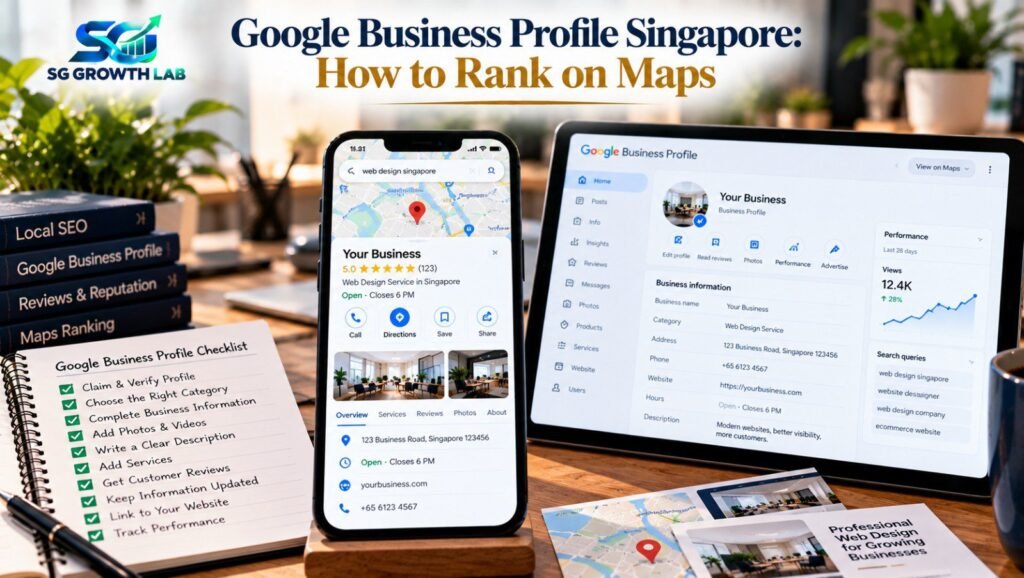
When someone in Singapore searches for a plumber, a dentist, a tuition centre or a cafe near them, the first thing they usually see is not a website. It is a map with a few businesses listed underneath it. Those businesses come from Google Business Profile, and appearing there can bring more calls, direction requests and walk-ins than a page of normal search results.
This guide explains how your Google Business Profile Singapore customers see on Google Maps and Search actually works, what influences your ranking, and 12 practical steps to improve it. You can do most of them yourself, for free.
On this page:
- What Is a Google Business Profile?
- How Google Maps Ranking Works
- 12 Steps to Improve Your Google Business Profile in Singapore
- Why Your Website Still Matters for Maps
- Common Google Business Profile Mistakes
- How to Track Your Results
- What If Your Profile Gets Suspended?
- How Long Does It Take to See Results?
- How SG Growth Lab Can Help
- Frequently Asked Questions
- Final Thoughts
What Is a Google Business Profile?
A Google Business Profile is the free listing that shows your business on Google Search and Google Maps. It can display your name, address or service area, opening hours, phone number, website, photos, reviews, services and updates. Customers use it to decide quickly whether to contact you. If you have never claimed yours, Google may already show an unverified listing with information you did not write. Claiming it puts you in control.
How Google Maps Ranking Works
According to Google, local results are mainly based on three things:
- Relevance (how well your profile matches the search)
- Distance (how close your business is to the searcher)
- Prominence (how well known your business is, from reviews, links, articles and web presence)
You cannot change where a customer is standing, but you can improve relevance and prominence.
12 Steps to Improve Your Google Business Profile in Singapore
1. Claim and verify your profile
Search for your business, claim the listing if it exists or create a new one, and complete Google’s verification process. Use the account you intend to keep, and make sure you, the owner, have the login.
2. Use your real business name
Enter your name exactly as it appears on your shop sign and documents. Adding keywords goes against Google’s guidelines and can lead to suspension.
3. Choose the right primary category
Pick the one that most accurately describes your main service, then add secondary categories for other services you genuinely offer.
4. Fill in every section
Complete address/service area, phone, website, hours (including public holidays), services, products, attributes and description.
5. Decide between a storefront and a service area
If customers visit you, show your address. If you travel to customers, hide your address and list service areas.
6. Write a helpful description
Describe what you do, who you serve, what makes you different, in natural language. Avoid keyword stuffing.
7. Add real photos regularly
Upload photos of storefront, team, work, products. Add new ones now and then.
8. Collect genuine reviews
Ask happy customers to review you. Never buy reviews or offer rewards; this breaks Google’s policies.
9. Respond to every review
Thank positive reviewers, reply calmly to negative ones. Our Google Map reputation service can help you manage this.
10. Use updates, offers and services
Share updates and list each service with a brief description.
11. Connect your website and track visits
Link your profile to the most relevant page. Make sure the page loads fast on mobile. See our guide on fast, mobile-friendly websites.
12. Keep your details consistent everywhere
Name, address and phone should match across website, social media and directories.
Why Your Website Still Matters for Maps
Your website supports your profile with prominence and relevance. Our SEO guide for Singapore small businesses explains how the two work together.
Common Google Business Profile Mistakes
- Keyword stuffing in business name
- Virtual/fake address
- Duplicate profiles
- Wrong/missing hours
- Ignoring reviews
- Too many/irrelevant categories
- No photos/updates
- Letting ex-agency keep ownership
How to Track Your Results
Check monthly: how people found you, calls, direction requests, website visits, review count/rating. Ask new customers how they found you. Our guide on how to read your SEO report explains which numbers matter.
What If Your Profile Gets Suspended?
Read Google’s notice, fix the mentioned issue, follow the reinstatement process. Do not create a duplicate profile as a shortcut.
How Long Does It Take to See Results?
Small improvements help quickly; reviews and prominence build over months. Read our guide on how long SEO takes in Singapore for a realistic view.
How SG Growth Lab Can Help
We start with a free audit of your Google Business Profile and website, show you what to fix in plain words and give you a clear plan with price and timeline. Learn more about our SEO services, or message us on WhatsApp for a free audit.
Frequently Asked Questions
Is Google Business Profile free?
Yes. Creating and managing a Google Business Profile is free. Keep ownership of your own profile.
How do I rank higher on Google Maps in Singapore?
Complete and verify your profile, choose accurate categories, collect genuine reviews and reply to them, add real photos, keep details consistent, support with a fast website. Results build over time.
Do reviews really affect Google Maps ranking?
Yes. Reviews — number, quality and your responses — are a major part of prominence and influence customers directly. Always collect them honestly.
Can I hide my address on Google Business Profile?
If you serve customers at their location, you can hide your address and list service areas. If customers visit you, show your address.
Can I use a home address for my business profile?
Many home-based businesses do, as a service-area business with the address hidden. Check Google’s current guidelines.
Can I get a bad review removed?
Only reviews that break Google’s policies (fake, spam, abusive). Genuine negative reviews stay — reply calmly and keep earning positives.
How often should I update my profile?
At least monthly, and whenever hours, services or contact details change. Add photos and updates regularly.
Final Thoughts
Ranking on Google Maps is not a secret. Claim and verify your profile, choose accurate categories, fill every section, collect and answer genuine reviews, keep details consistent and back it with a good website. Want help? Get a free audit from SG Growth Lab and we will show you what to improve first.