
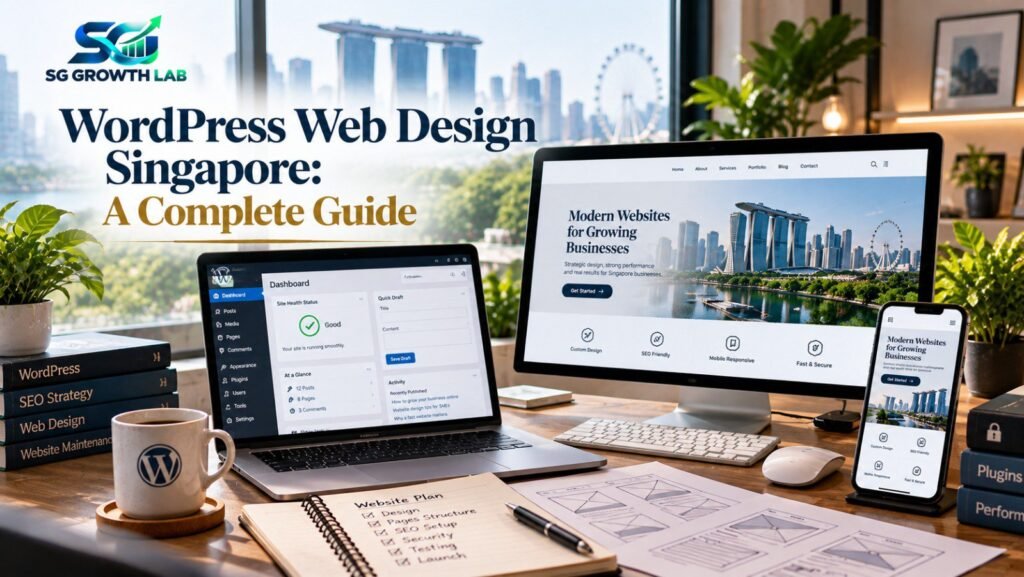
If you are planning a new website, you have probably heard the same name again and again: WordPress. It powers a huge share of the websites on the internet, from small local businesses to large publications. But is it the right choice for your business, and what should good WordPress web design Singapore companies actually deliver? This guide answers those questions in plain words. We cover what WordPress is, its honest strengths and weaknesses, what a professional build includes, how to keep it fast and secure, and how to choose the right team.
On this page
- What Is WordPress, and Why Do So Many Businesses Use It?
- WordPress Pros and Cons (Honestly)
- WordPress vs Wix, Shopify and Custom Code
- What Professional WordPress Web Design Includes
- Pre-Built Theme or Custom Design?
- Plugins: Less Is More
- Hosting and Speed for Singapore Visitors
- WordPress Security and Maintenance Basics
- WordPress and SEO
- 6 WordPress Mistakes to Avoid
- How to Choose a WordPress Web Designer
- How SG Growth Lab Approaches WordPress Web Design in Singapore
- Frequently Asked Questions
- Final Thoughts on WordPress Web Design Singapore
What Is WordPress, and Why Do So Many Businesses Use It?
WordPress is a content management system (CMS). In simple terms, it is the engine behind your website that lets you add and edit pages, blog posts, images and products without writing code every time. Businesses choose it for several reasons:
- Easy to manage. Once the site is built, you can update text, images and blog posts yourself.
- Flexible. It can power a simple brochure site, a blog, a booking site or a full online store.
- Strong for SEO. It gives you control over page titles, URLs, headings and structure, and works well with SEO plugins.
- Huge ecosystem. Thousands of themes and plugins exist, and many developers know how to work with it.
- You own it. It is open-source software, so you are not locked into a single company’s platform. Even our own website at SG Growth Lab is built on WordPress, which is one reason we know it well.
WordPress Pros and Cons (Honestly)
No platform is perfect, and an honest team will tell you both sides. The strengths:
- Full control over design, structure and content.
- Scales well as your business grows, from a few pages to hundreds.
- Excellent blogging and content features.
- Large community and constant improvement.
The weaknesses:
- It needs regular updates and maintenance to stay secure.
- Plugin quality varies, and too many plugins can slow the site down.
- A poorly built site on cheap hosting can be slow.
- Beginners can break things if they change settings without guidance.
None of these are deal-breakers, but they are the reasons why who builds and maintains your WordPress site matters so much.
WordPress vs Wix, Shopify and Custom Code
- Wix or Squarespace: quick, simple and good for very small sites. You trade flexibility and long-term SEO control for ease of use.
- Shopify: excellent for pure online stores, with monthly fees and some limits on customisation. See our ecommerce website design guide for a closer comparison.
- Custom code: ideal for unusual features or large systems, but takes longer to build and costs more to maintain.
- WordPress: a strong middle ground for most small and medium businesses that want a professional, flexible and SEO-friendly site they can grow.
What Professional WordPress Web Design Includes
A good WordPress project is more than installing a theme. A professional team should handle:
- Planning and structure: the pages, menus and goals of the site.
- Design: a layout tailored to your brand, not just a default template.
- Mobile-first build: the site works properly on every screen size.
- Speed optimisation: caching, compressed images and a lean set of plugins.
- SEO setup: clean URLs, headings, meta titles, descriptions and a sitemap.
- Security setup: secure login, backups and basic protection.
- Training and handover: you learn how to edit your own site.
- Support after launch: someone to call when you need updates or fixes.
Pre-Built Theme or Custom Design?
A well-chosen pre-built theme, customised properly, is often the most practical option for small businesses because it launches faster and costs less. Custom design makes more sense when your brand needs to stand out or you need special layouts and features. Whichever you choose, avoid heavy themes packed with features you will never use, as they slow your site down. Our guide on affordable web design explains how to decide.
Plugins: Less Is More
Plugins add features, but each one adds weight and potential risk. A few simple rules help:
- Install only plugins you genuinely need.
- Choose plugins that are actively updated and well reviewed.
- Delete unused plugins instead of just deactivating them.
- Avoid using several plugins that do the same job.
- Ask your web designer to list every plugin used and why.
Hosting and Speed for Singapore Visitors
Speed depends heavily on hosting. If most of your customers are in Singapore, choose a hosting setup with servers in Singapore or nearby Asia, and use a content delivery network (CDN) where it makes sense. Combine this with caching, compressed images and a clean design, and test your pages with PageSpeed Insights. For more on why speed matters, read our guide on why you need a fast, mobile-friendly website.
WordPress Security and Maintenance Basics
Because WordPress is popular, it is a common target for automated attacks. Most problems come from neglect, not from the platform itself. Good basics include:
- Keeping WordPress, themes and plugins updated.
- Daily or weekly backups stored away from the website itself.
- Strong passwords and two-factor login for admin users.
- Limiting login attempts and removing unused admin accounts.
- Using a security plugin or server-level protection.
- Having a maintenance plan, so someone checks and updates the site regularly.
If your site collects customer details through forms, also make sure it has a clear privacy policy that follows Singapore’s Personal Data Protection Act. The PDPC website has official guidance.
WordPress and SEO
WordPress gives you a strong SEO foundation, but it still needs to be set up properly. That means clean permalinks, one main topic per page, clear headings, optimised images, fast loading and an SEO plugin to manage titles, descriptions and sitemaps. From there, content such as service pages and blog posts helps you rank over time. If you are new to this, start with our SEO guide for Singapore small businesses or see our SEO services.
6 WordPress Mistakes to Avoid
- Choosing the cheapest hosting. Slow shared hosting can undo good design.
- Installing too many plugins. More plugins mean more weight and more risk.
- Never updating. Outdated software is the most common cause of hacked sites.
- No backups. If something breaks, you want to restore it in minutes.
- Not owning your admin access. You should always have full admin login and own your domain and hosting account.
- Ignoring SEO setup. A good-looking site that Google cannot understand will not bring free traffic.
How to Choose a WordPress Web Designer
Ask any team these questions before you start:
- Can I see live WordPress websites you have built, and can I check their speed on my phone?
- Which theme or builder will you use, and why?
- Which plugins will be installed, and who maintains them?
- Will I get full admin access, and will I own my domain and hosting?
- How will you handle backups, security and updates after launch?
- Will you train me to edit my own pages?
A confident, honest team will answer these clearly and without pressure. If you are still comparing options, our guides on choosing a web design company and agency vs freelancer can help.
How SG Growth Lab Approaches WordPress Web Design in Singapore
At SG Growth Lab, we build fast, mobile-friendly WordPress websites that are structured for SEO and designed to turn visitors into enquiries. We start with a free audit, agree a clear scope and timeline, give you full ownership and training, and send a work report every working day of the project. We never make fake ranking promises, and we do not use long-term contracts. See examples in our portfolio, explore our web development services, or message us on WhatsApp for a free audit.
Frequently Asked Questions
Is WordPress good for small businesses in Singapore?
Yes. It is flexible, SEO-friendly and easy to manage, which makes it a popular choice for small and medium businesses. The key is a proper build with good hosting, a lean set of plugins and regular maintenance.
Is WordPress secure?
WordPress itself is regularly updated and widely used, and most security problems come from outdated software, weak passwords or low-quality plugins. With updates, backups, strong logins and a maintenance routine, a WordPress site can be very safe.
Can I edit my WordPress website myself?
Yes, that is one of its biggest advantages. After handover, you can update text, images and blog posts yourself. A good designer will train you and keep structural changes under control so you do not break the layout.
Can WordPress run an online store?
Yes, with WooCommerce and similar tools, WordPress can power a full online store. It suits sellers who want flexibility and strong SEO, though it needs good hosting and maintenance. Read our ecommerce guide to compare platforms.
How long does a WordPress website take to build?
A simple business website can often be completed within a few weeks. Larger sites with custom design, bookings or ecommerce take longer. The biggest factors are the number of pages, the features needed, and how quickly you provide content and feedback.
Final Thoughts on WordPress Web Design Singapore
Good WordPress web design Singapore businesses can rely on comes down to a clear plan, a fast mobile-friendly build, a lean set of plugins, solid hosting, proper SEO setup and ongoing maintenance. WordPress gives you the tools, but the team behind it makes the difference. Ready to talk about your website? Get a free audit from SG Growth Lab and we will tell you honestly whether WordPress is the right fit.
2 comments